
IT Automation Strategies to Streamline Modern Operations
Manual IT operations don’t scale. Every time an engineer provisions a server by hand, answers the same password-reset ticket, or clicks through a 20-step release checklist, your team burns hours on repetitive toil—and invites preventable human error.
Thoughtful IT automation removes that friction, slashes downtime, and frees skilled staff to focus on architecture, security, and reliability. Here is a practical guide to the core automation strategies that streamline modern IT operations.
 {:class="img-responsive"}
Why Ad-Hoc Automation Fails
Before writing a single line of automation, remember a hard rule of operations: automating a broken process only creates faster chaos.
Many IT departments start with "hero scripts"—clever local utilities sitting on one senior engineer’s laptop with hardcoded credentials and zero documentation. When that engineer goes on vacation or an API changes, the script breaks silently and everyone scrambles.
Effective automation treats operational tasks like production software. Your workflows should be version-controlled in Git, documented, idempotent (safe to run repeatedly without breaking things), and backed by clear logging and alerts.
5 Core IT Automation Strategies
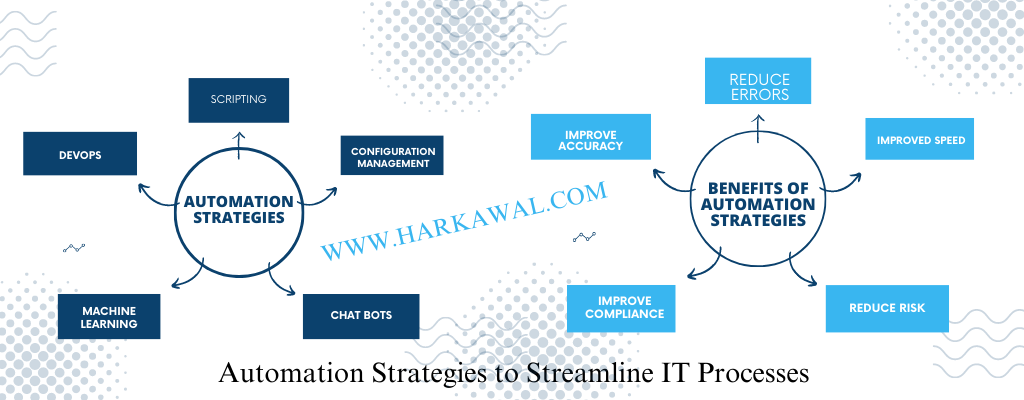
Most resilient IT environments combine five complementary layers of automation rather than relying on a single tool.
1. Scripting and CLI Automation
Scripting remains the fastest entry point for eliminating repetitive daily tasks. Using Python, Bash, or PowerShell, engineers can automate log parsing, certificate checks, database backups, cloud cleanups, and diagnostic reports in an afternoon.
- Best Used For: Glue logic between tools that lack native integrations, routine maintenance jobs, and scheduled health checks.
- Keep It Safe: Store scripts in a shared Git repository, pull credentials from a secrets manager instead of plaintext files, and add dry-run flags so teammates can preview changes before executing them.
2. Configuration Management and Infrastructure as Code (IaC)
Manually configuring servers and cloud networks inevitably leads to configuration drift—where staging and production quietly diverge until an update breaks only in production.
Modern teams separate provisioning from ongoing configuration:
- Infrastructure as Code (Terraform, OpenTofu, Pulumi): Defines cloud VPCs, virtual machines, Kubernetes clusters, and IAM rules declaratively so entire environments can be rebuilt predictably from Git.
- Configuration Management (Ansible, Chef, Puppet): Enforces consistent OS settings, software packages, and security hardening rules across fleets of Linux or Windows servers.
3. CI/CD Pipeline Automation
If developers still wait days for operations to manually build artifacts and copy files onto servers, releases will always feel risky. Continuous Integration and Continuous Delivery (CI/CD) tools like GitHub Actions, GitLab CI, and Argo CD automate the entire path from code commit to production.
- Automate Quality Gates: Run automated tests, dependency scans, and container vulnerability checks on every pull request.
- Standardize Releases: Deploy through repeatable pipelines with canary rollouts and automated rollbacks when error rates spike.
4. Workflow Orchestration and Robotic Process Automation (RPA)
IT work doesn’t stop at servers—it spans employee onboarding, hardware requests, license provisioning, and incident routing across HR, finance, and security tools.
- API-First Workflow Orchestration: Tools like ServiceNow, Jira Service Management, Temporal, and n8n connect systems directly through APIs—for instance, automatically creating user accounts, assigning Okta groups, and opening laptop tickets the moment HR marks a new hire as approved.
- Robotic Process Automation (RPA): Software bots mimic mouse clicks and keystrokes to interact with legacy desktop apps or mainframes that completely lack modern APIs. Keep RPA scoped strictly to those legacy gaps, because UI-based bots break whenever a screen layout changes.
5. AIOps and AI-Assisted Service Desks
Basic rule-based chatbots could only recite static FAQ links. Modern AIOps and AI-powered service desks go much further by analyzing high-volume telemetry and resolving routine incidents faster:
- Alert Correlation and Noise Reduction: Machine learning groups hundreds of noisy symptom alerts from a single network outage into one actionable incident, cutting alert fatigue.
- Anomaly Detection and Automated Triage: AIOps platforms spot abnormal latency spikes or disk saturation trends before users notice downtime, then gather diagnostic logs automatically for the on-call engineer.
- LLM Service-Desk Assistants: Modern IT helpdesks use AI agents integrated with your identity provider and knowledge base to verify users, guide troubleshooting, and trigger approved self-service actions (such as software access requests or MFA resets) under strict role-based permissions.
Comparing IT Automation Strategies at a Glance
Use this quick matrix to match the right automation approach to each operational bottleneck:
| Strategy | Best Use Case | Common Tools | Watch Out For |
|---|---|---|---|
| Scripting | Diagnostics, API glue, scheduled cleanup | Python, Bash, PowerShell | Undocumented local scripts and hardcoded keys |
| Config Management & IaC | Cloud provisioning, server hardening, drift control | Terraform, OpenTofu, Ansible | Unmanaged state files and manual console edits |
| CI/CD Pipelines | Code builds, testing, security checks, releases | GitHub Actions, GitLab CI, Argo CD | Flaky test suites and missing rollback paths |
| Workflow & RPA | Onboarding, ITSM routing, legacy UI tasks | ServiceNow, Temporal, n8n, UiPath | Fragile UI bots used where clean APIs exist |
| AIOps & AI Agents | Alert deduplication, root-cause hints, tier-1 IT support | Datadog, PagerDuty, BigPanda | Auto-remediating production without human approval gates |
How to Prioritize What to Automate First
You don’t need a massive multi-year transformation budget to get measurable wins. Follow this five-step sequence:
- Audit Your Toil: Track your team’s tickets and recurring chores for two weeks. Look for tasks that happen frequently, follow clear rules, and hurt when done wrong.
- Simplify Before You Automate: Cut unnecessary approval steps and standardize inputs first so your automation stays clean.
- Start With Low-Risk, High-Volume Wins: Automating employee offboarding checks, test environment spin-ups, or SSL certificate renewals delivers fast ROI without risking production downtime.
- Build Guardrails and Kill Switches: Set rate limits, dry-run modes, and human approval checkpoints for destructive actions like deleting databases or terminating instances.
- Measure the Impact: Track hours saved, ticket resolution speed, deployment frequency, and reduction in human-error incidents to justify your next wave of investment.
The Bottom Line
Great IT automation isn’t about replacing engineers—it’s about removing the repetitive busywork that keeps talented people stuck in firefighting mode.
Combine clean IaC and CI/CD foundations with targeted scripting, API-first workflows, and guarded AIOps, and you will build an IT operation that scales reliably as your business grows.